RNS AssistFor listed companies
Interview recorded.Video edited.Posts ready.
Your executive gives the interview from a browser, with an AI presenter asking the questions you agreed. The edited video, clips and posts are back in about 20 minutes.
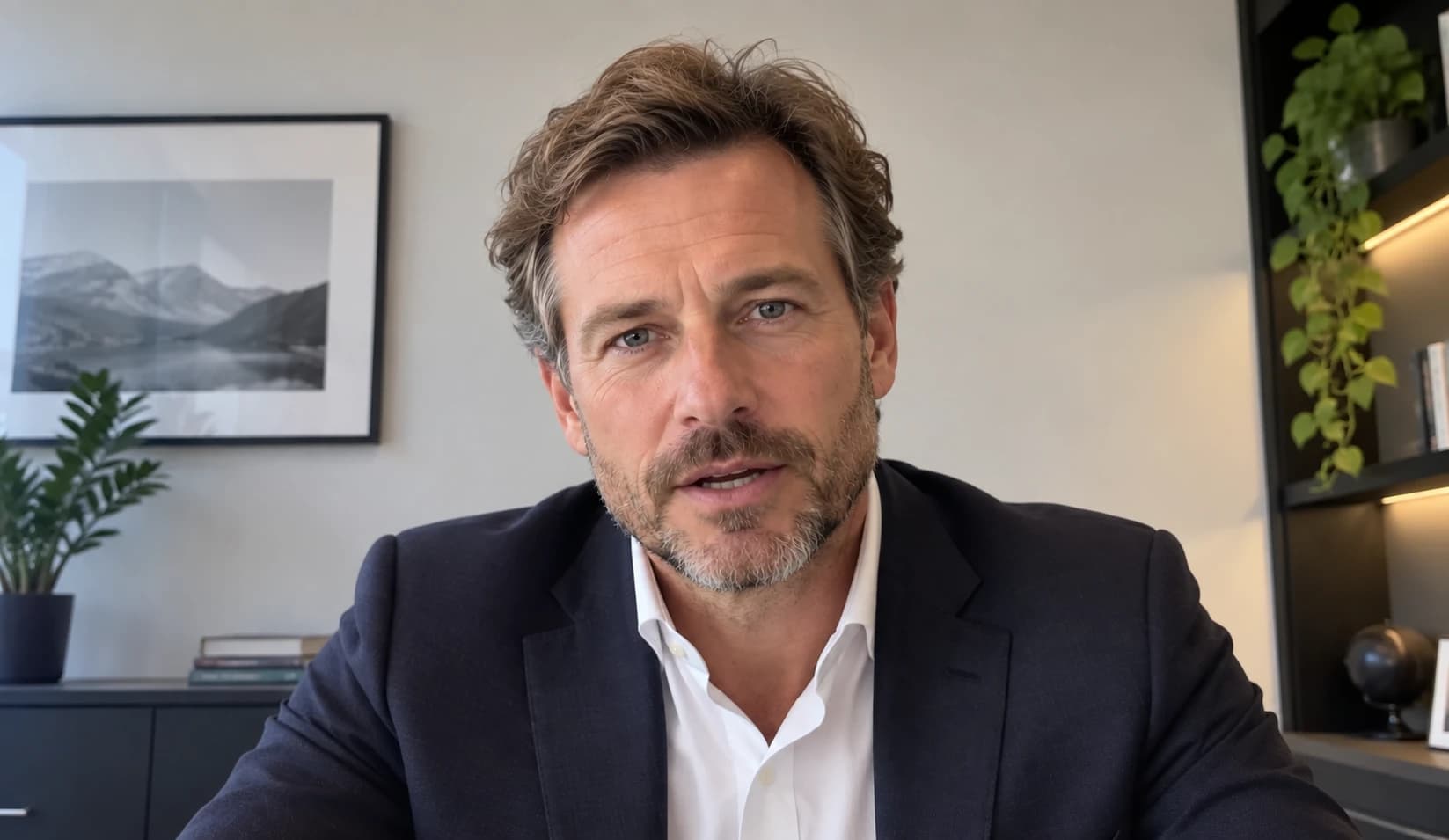
the step-out holes extend mineralisation about 400 metres north
- 01Your news released as normal
- 02Questions agreed by you
- 03Interview recorded from a browser
- 04Video and posts back for your approval
00:40What changes
News moves in minutes. Interviews usually take days.
By the time a conventional interview is filmed, edited and signed off, the market has moved on.
Scheduling
USUALThree diaries: your executive, an interviewer and a crew.
RNS ASSISTYour executive picks a time and opens a link.
The interviewer
USUALWhoever is free that week.
RNS ASSISTBriefed on the announcement and your approved questions.
Recording
USUALA studio, or a crew in the boardroom.
RNS ASSISTIn the browser, after a quick camera check.
Editing and clips
USUALQueued at an edit suite. Clips are a separate job.
RNS ASSISTStarts when the interview ends. Three vertical clips included.
Sign-off
USUALWhichever email came last.
RNS ASSISTApproved with the company PIN, against one exact version.
01:55From RNS to interview
From announcement to published interview.
You decide what it covers and whether it goes out. There’s no crew or edit suite in between.
Rundown · 7 stages
RNS or corporate update
Share the announcement. Everything else is built on it.
- Comes out of this stage
- The announcement, on file as published material
03:20The interview
Agreed questions. A real conversation.
The questions are agreed. The order isn’t. If an answer turns to funding, the funding question comes next.
A missed required point gets a short follow-up. Nothing strays outside the approved subjects.
- Q1What the step-out holes at Tarn Ridge showASKED
- Q2How the new grades compare with the resource● ANSWERING
- Q3Where metallurgical test work stands
- Q4The permitting timetable
- Q5How the next phase will be funded
- Q6Zinc and silver price assumptions
- Q7What shareholders should watch for next
Agreed order before the interview starts.
06:12 · Alasdair Grant, Chief Executive Officer
“…and that’s before we get to how the next phase is paid for, which I know shareholders will want to hear about.”
Required points for Q2
- Width and grade of the best intercept
- Where the holes sit relative to the current resource
- That the results are not yet part of a resource estimate
05:05For your executive
A link, not a production schedule.
No studio. Nothing to install.
- LINK
A private link
Opened in the browser at the agreed time. No software, no account.
- CHECK
Camera and microphone checked first
Sorted in the lobby before recording starts.
- BRAND
Branding ready in advance
Logo, colours and the lower third, prepared before the day.
- RETAKE
Retakes on request
“Can I answer that again?” is enough. The first attempt is cut.
What does today’s drilling tell you about the potential scale of the system?
Visible only to you. Not part of the recording.
06:30Production
The edit starts when the interview stops.
The full set is usually ready for review within about 20 minutes of the interview ending.
What arrives in your Viewing Suite
- The interview
- Automatic edit
- Audio clean-up
- Professional layout
- Captions
- Your branding
- Clips
- Three vertical clips, cut from the strongest moments
- Words
- Full transcript
- X posts
- LinkedIn copy
- YouTube description
- Newsletter copy
After the interview ends
- Transcript
- Edit decisions
- Clip selection
- Written copy
- Renders
- Quality checks
08:15Approval
Nothing goes out until you approve it.
Each interview has a private Viewing Suite. Approval needs the company’s publication PIN.
- 04:37The caption says 2.4% zinc. The announcement says 2.6%.FIXED IN v1.1
- 11:02Trim the pause before the permitting answer.READY IN v1.2
v1.0v1.1v1.2 · awaiting approval
- 1
Watch
The interview and all three clips, with the transcript alongside.
- 2
Request changes
Pin each request to a timestamp. Every round makes a new version.
- 3
Approve with your PIN
The approval covers that exact version. Change anything and it needs approving again.
- 4
Publish and share
We publish it on Out of the GRND or RNS Assist. Your own copy, without our logo, goes on your channels.
09:50Corporate memory
Every interview starts from what you’ve already said.
Announcements, past interviews and guidance stay on file. If a timetable has moved since, your team sees it before the questions are final.
Company file · Kestrel Vale Resources plc
- 14 Mar 2025RNSMaiden mineral resource estimate for Tarn Ridge
- 02 Jun 2025InterviewChief executive expects the permit application “in the first half of next year”Tracked commitment. Application lodged 18 May 2026, within the timetable given.
- 21 Jan 2026RNSMetallurgical test work programme begins
- 18 May 2026RNSPermit application lodged
- 29 Sep 2026RNSStep-out drilling results
11:10Security
Built for material the market hasn’t seen.
How drafts and unpublished figures are handled.
- Private storage
- No public addresses. Media links expire within minutes.
- Company separation
- Checked on every request. Your documents never inform another company’s interview.
- Encryption
- Encrypted in transit. Passwords and PINs are held only as salted hashes.
- Access controls
- Each person sees what their role allows. Two-step sign-in is available on every account.
- Audit log
- Append-only and chained, so a removed or altered entry shows.
- Document classification
- Each upload is marked for one interview or for the long term.
- Approval versioning
- An approval covers one exact version. Change a frame and it lapses.
- Restricted downloads
- Approved versions only, for authorised users, and every download is logged.
12:45Pricing
One plan. 2 interviews a month.
Every interview comes with three clips, captions, a transcript and the written copy. Prices exclude VAT.
Interview Studio
£11,999a year
12-month contract, invoiced monthly at £999.92
£500 an interview if you use them all
2 interviews a month
- Edited interview, three vertical clips and captions
- Transcript and the written copy for every channel
- Viewing Suite with PIN approval
- Published on Out of the GRND or RNS Assist
- Your own copies for your channels, without our logo
We’re in beta, so there’s nothing to pay yet. Full plan details and common questions are on the pricing page.
See full pricingBring your last announcement.
We’ll use a recent release of yours to show the questions we’d propose and the interview that would follow.